> ## Documentation Index
> Fetch the complete documentation index at: https://docs.usequeue.com/llms.txt
> Use this file to discover all available pages before exploring further.
# Get replies to comment
## OpenAPI
````yaml GET /file_comments/{file_comment_id}/comments
openapi: 3.0.0
info:
title: Queue REST API
description: >-
# 🚀 Get started here
This template guides you through CRUD operations (GET, POST, PUT, DELETE),
variables, and tests.
## 🔖 **How to use this template**
#### **Step 1: Send requests**
RESTful APIs allow you to perform CRUD operations using the POST, GET, PUT,
and DELETE HTTP methods.
This collection contains each of these
[request](https://learning.postman.com/docs/sending-requests/requests/)
types. Open each request and click "Send" to see what happens.
#### **Step 2: View responses**
Observe the response tab for status code (200 OK), response time, and size.
#### **Step 3: Send new Body data**
Update or add new data in "Body" in the POST request. Typically, Body data
is also used in PUT request.
```
{
"name": "Add your name in the body"
}
```
#### **Step 4: Update the variable**
Variables enable you to store and reuse values in Postman. We have created a
[variable](https://learning.postman.com/docs/sending-requests/variables/)
called `base_url` with the sample request
[https://postman-api-learner.glitch.me](https://postman-api-learner.glitch.me).
Replace it with your API endpoint to customize this collection.
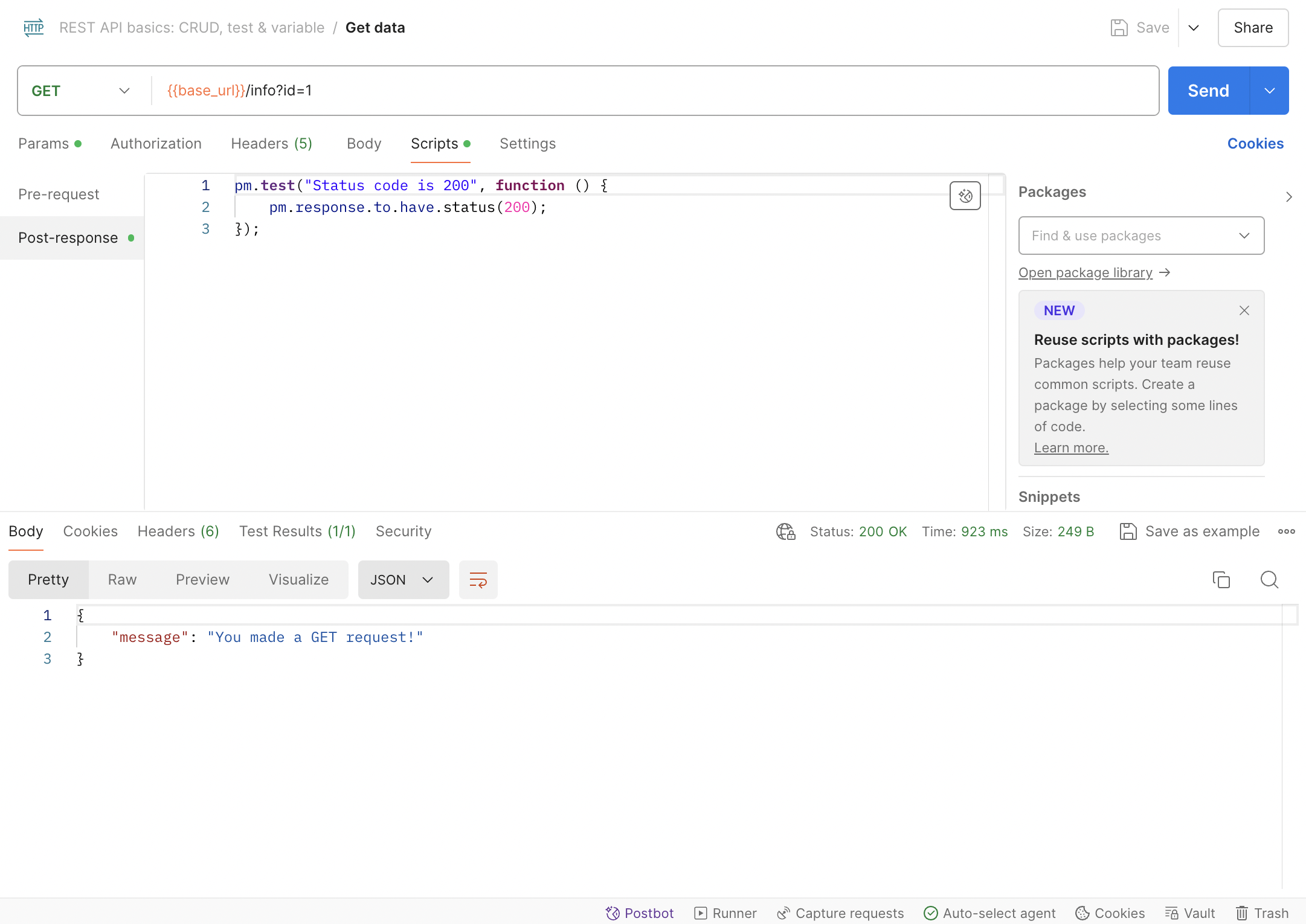
#### **Step 5: Add tests in the "Scripts" tab**
Adding tests to your requests can help you confirm that your API is working
as expected. You can write test scripts in JavaScript and view the output in
the "Test Results" tab.
 ## 💪 Pro tips
- Use folders to group related requests and organize the collection.
- Add more
[scripts](https://learning.postman.com/docs/writing-scripts/intro-to-scripts/)
to verify if the API works as expected and execute workflows.
## 💡Related templates
[API testing
basics](https://go.postman.co/redirect/workspace?type=personal&collectionTemplateId=e9a37a28-055b-49cd-8c7e-97494a21eb54&sourceTemplateId=ddb19591-3097-41cf-82af-c84273e56719)
[API
documentation](https://go.postman.co/redirect/workspace?type=personal&collectionTemplateId=e9c28f47-1253-44af-a2f3-20dce4da1f18&sourceTemplateId=ddb19591-3097-41cf-82af-c84273e56719)
[Authorization
methods](https://go.postman.co/redirect/workspace?type=personal&collectionTemplateId=31a9a6ed-4cdf-4ced-984c-d12c9aec1c27&sourceTemplateId=ddb19591-3097-41cf-82af-c84273e56719)
version: 1.0.0
servers:
- url: https://app.usequeue.com/api/v1
security: []
tags:
- name: Projects
- name: Tasks
- name: Columns
- name: Task Comments
- name: Invoices
- name: Task Credits
paths:
/file_comments/{file_comment_id}/comments:
get:
tags:
- FileComments
summary: List Replies to File Comment
parameters:
- name: file_comment_id
in: path
required: true
schema:
type: string
responses:
'200':
description: Nested comments
content:
application/json:
schema:
type: array
items:
$ref: '#/components/schemas/Comment'
security:
- bearerAuth: []
components:
schemas:
Comment:
type: object
properties:
id:
type: integer
example: 3
created_at:
type: string
format: date-time
updated_at:
type: string
format: date-time
body:
type: string
example:
## 💪 Pro tips
- Use folders to group related requests and organize the collection.
- Add more
[scripts](https://learning.postman.com/docs/writing-scripts/intro-to-scripts/)
to verify if the API works as expected and execute workflows.
## 💡Related templates
[API testing
basics](https://go.postman.co/redirect/workspace?type=personal&collectionTemplateId=e9a37a28-055b-49cd-8c7e-97494a21eb54&sourceTemplateId=ddb19591-3097-41cf-82af-c84273e56719)
[API
documentation](https://go.postman.co/redirect/workspace?type=personal&collectionTemplateId=e9c28f47-1253-44af-a2f3-20dce4da1f18&sourceTemplateId=ddb19591-3097-41cf-82af-c84273e56719)
[Authorization
methods](https://go.postman.co/redirect/workspace?type=personal&collectionTemplateId=31a9a6ed-4cdf-4ced-984c-d12c9aec1c27&sourceTemplateId=ddb19591-3097-41cf-82af-c84273e56719)
version: 1.0.0
servers:
- url: https://app.usequeue.com/api/v1
security: []
tags:
- name: Projects
- name: Tasks
- name: Columns
- name: Task Comments
- name: Invoices
- name: Task Credits
paths:
/file_comments/{file_comment_id}/comments:
get:
tags:
- FileComments
summary: List Replies to File Comment
parameters:
- name: file_comment_id
in: path
required: true
schema:
type: string
responses:
'200':
description: Nested comments
content:
application/json:
schema:
type: array
items:
$ref: '#/components/schemas/Comment'
security:
- bearerAuth: []
components:
schemas:
Comment:
type: object
properties:
id:
type: integer
example: 3
created_at:
type: string
format: date-time
updated_at:
type: string
format: date-time
body:
type: string
example: nested reply
file_comment_id:
type: integer
example: 97
private:
type: boolean
user:
$ref: '#/components/schemas/User'
required:
- id
- created_at
- updated_at
- body
- user
User:
type: object
properties:
username:
type: string
email:
type: string
format: email
avatar:
type: string
format: uri
required:
- username
- email
securitySchemes:
bearerAuth:
type: http
scheme: bearer
````